

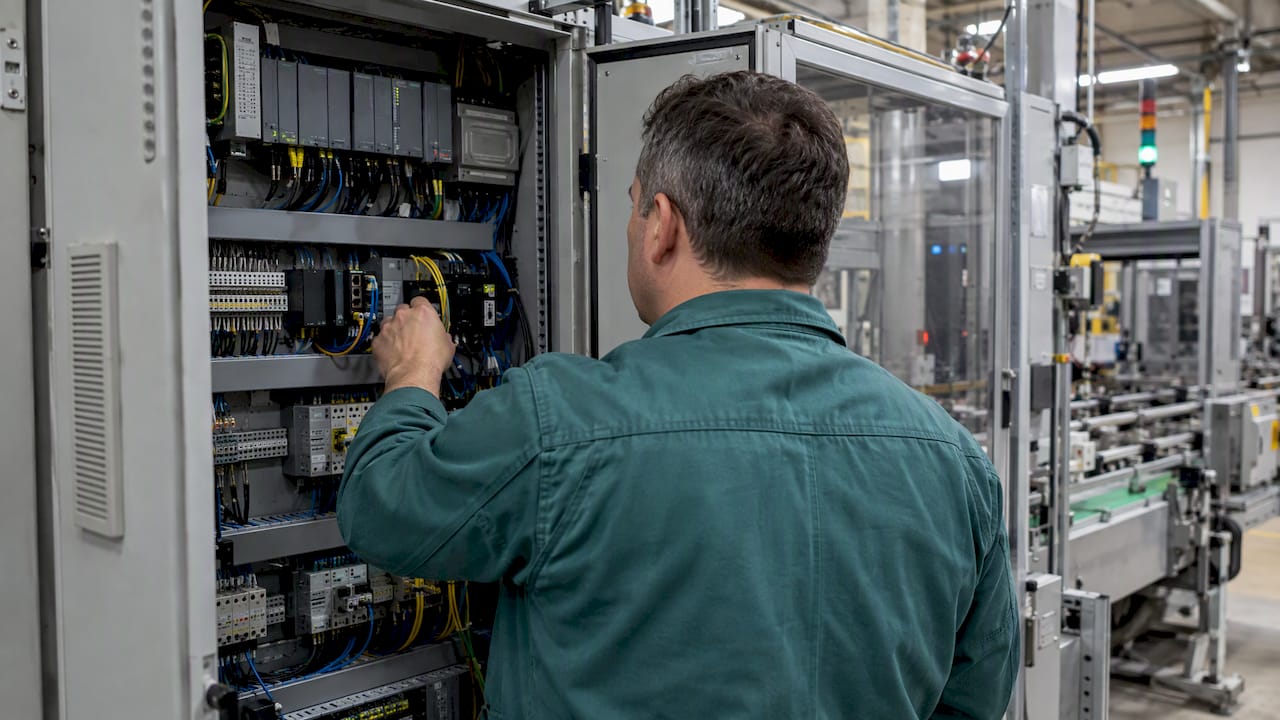
The most reliable way to integrate machines with an MES is to collect data at the edge, normalise it against OPC UA or a PubSub layer, and feed that single stream into your MES rather than wiring each machine directly into enterprise systems. This pattern, guided by ISA-95 and IEC/ISA 62443, gives you real-time KPIs and a trustworthy asset identity across every connected machine.
TL;DR:
- For new equipment, use OPC UA to preserve the meaning of each tag; for large fleets, pair OPC UA PubSub with MQTT and a broker.
- Legacy Modbus, OPC Classic, and S7 machines need a driver or gateway that maps data into OPC UA while retaining original tag names for audits.
- Place MES gateways at the industrial boundary, separate control networks from business systems, and use TLS, vaulted credentials, and access controls tailored to each role.
- Pilot one cell before rollout, testing latency, data completeness, and timestamp accuracy; preserve the PLC timestamp separately from gateway receipt time throughout the pipeline.
- Publish downtime and fault events at source with consistent reason codes, then keep them in the same normalized stream as production counts.
An MES sits at level 3 of the ISA-95 model, between your control systems on the shop floor and your ERP at the top. ISA-95 provides a conceptual framework for enterprise-control integration and defines standardised data structures so that production data flows consistently between these layers, rather than being re-keyed or guessed at.
When machines connect directly into this layer, you get a single, normalised record of what actually happened on the floor instead of a patchwork of spreadsheets, paper logs and operator estimates. That record becomes the backbone for several practical improvements:
None of this works well without a clear source of truth. If three systems hold three different versions of the same downtime event, your MES performance and reporting will always be arguing with itself. Deciding, early, which layer owns which fact is the difference between an MES that production teams trust and one they quietly work around.
Picking the right protocol depends on whether you are specifying a new machine or integrating one that has been running for fifteen years.
For new, greenfield equipment, OPC UA is the natural default. It offers a semantic information model, companion specifications for specific industries, and a structure that maps cleanly onto ISA-95 objects such as equipment, material and personnel. Because it carries meaning alongside the raw values, an OPC UA tag tells the MES what a number represents, not just what it is.
For scalable telemetry across many machines, MQTT paired with OPC UA PubSub is the pattern to reach for. OPC UA Part 14 documents how PubSub maps onto MQTT topics and message properties, which lets a broker handle thousands of publishing machines without each one needing a direct client connection to the MES.
Brownfield machines rarely speak either language natively. Modbus, OPC Classic and S7 remain common on the floor, and the practical answer is to map them rather than replace the hardware:
Web of Things Thing Descriptions help here. OPC UA’s WoT connectivity specification defines methods to generate and upload Thing Descriptions so that non-OPC UA assets are mapped automatically into an OPC UA model. Using Thing Descriptions alongside these mapping methods can meaningfully speed up asset discovery across a large brownfield fleet, which matters once you are past a handful of machines and into dozens.
Three topologies cover most real installations: a direct edge gateway per machine or cell, a shared broker serving many gateways, and a hybrid where critical machines publish directly while the rest route through an aggregator.
Our guide to IoT gateways in manufacturing covers gateway selection in more depth if you are weighing hardware options for a specific cell.
Pro Tip: Tag the original PLC timestamp as a separate field rather than overwriting it with the gateway’s receipt time, so you can always distinguish a slow network from a slow machine.
Connecting OT to enterprise systems without a segmentation plan is how a single compromised HMI becomes a plant-wide incident. The Purdue model gives you the reference layout: control-level devices sit at the bottom, MES connectors and historians occupy the industrial DMZ or level 3, and ERP and business systems stay firmly above that boundary. MES gateways belong at the boundary, not inside the control network itself.
IEC/ISA 62443 defines a lifecycle and component-level security requirements for industrial automation, and it is the benchmark most integrators and auditors now expect a connected plant to meet. Many IIoT projects introduce gaps simply by skipping Purdue layering or ignoring component-level requirements, which makes security a design decision rather than something bolted on after commissioning.
In practice, a handful of controls cover most of the exposure:
None of this works as a one-off IT project. OT engineers know which machines tolerate a reboot for patching and which do not, and that knowledge has to sit alongside IT’s network policy from the start. Our piece on industrial data security risks sets out the more common failure points plants run into once machines are connected.
A structured rollout catches most problems before they reach production, rather than after a machine has been live for three weeks.
Pro Tip: Treat the pilot cell’s acceptance gate as non-negotiable: a machine that fails your latency or completeness threshold in testing will not improve once it is one of fifty on the network.
Most machine-to-MES projects stumble on a small set of recurring problems rather than exotic ones.
Debugging these issues is mostly a matter of discipline: log raw values at the edge before transformation, compare them against what the MES eventually stores, and treat any gap as a mapping or timing bug rather than a one-off glitch.
We built Mestric™ to connect directly with shop-floor equipment, giving production managers live KPI dashboards covering performance, downtime, quality and cost without a separate reporting step. Recommendations based on connected data can help flag process drift early.
We suggest scoping a single production cell as your pilot: measure data latency, completeness and the resulting OEE movement before committing to a wider rollout. Seeing connected machinery running in a real production environment, during a demonstration, tends to answer integration questions faster than a slide deck does, because you can watch the actual data arrive as the machine cycles.
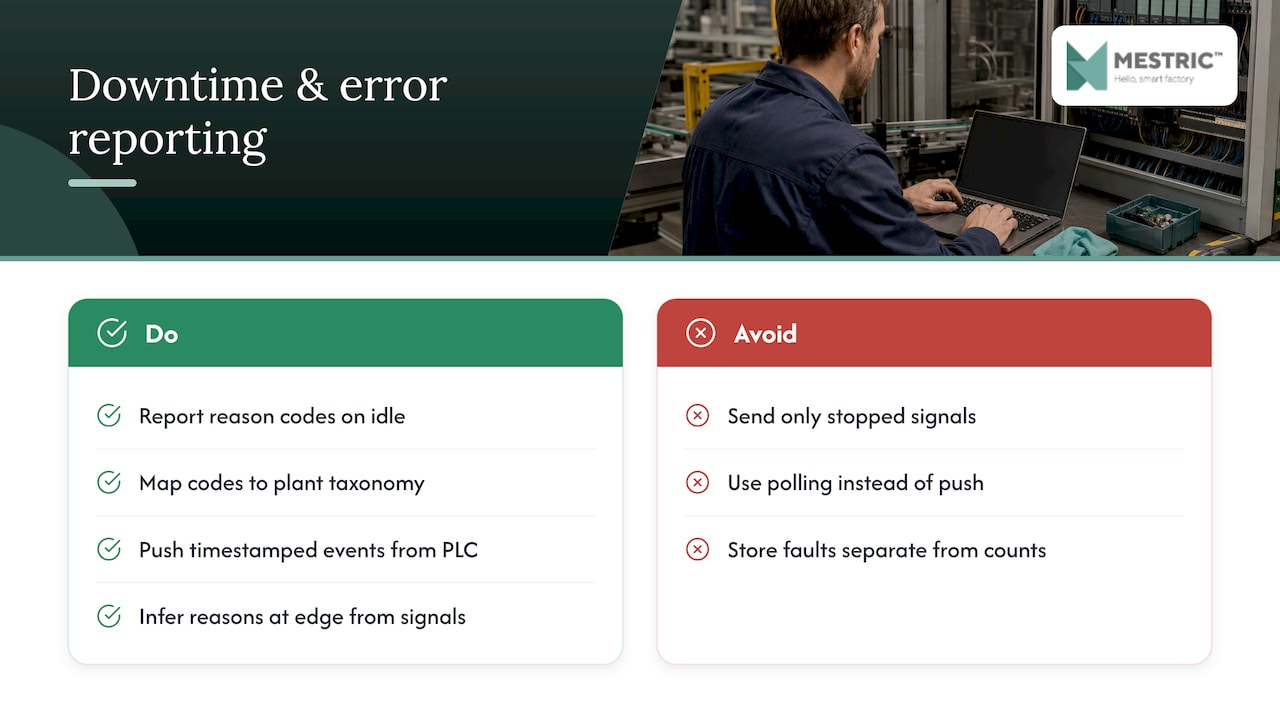
Downtime and fault codes are only useful to an MES if they arrive with the same discipline as production counts. A machine that goes idle should report a reason code, not just a stopped signal, and that reason code needs to map onto a consistent taxonomy across every machine type in the plant, otherwise your downtime Pareto chart ends up comparing incompatible categories.
Error reporting works best when the PLC or controller pushes the event the moment it occurs, rather than waiting to be polled. An event-driven publish, timestamped at source, lets the MES reconstruct the exact sequence of a stoppage, including any cascading faults on upstream or downstream equipment. Where a machine cannot distinguish between fault types natively, a thin edge rule can often infer a reason from correlated signals, such as a tooling alarm paired with a cycle interruption.
Keep downtime and fault data in the same normalised stream as your production counts rather than a separate system. Splitting them makes it harder to calculate availability accurately and tends to produce two slightly different numbers for the same shift, which undermines confidence in both.
What works for five machines does not always survive the jump to fifty. A broker-based PubSub architecture scales more gracefully than point-to-point client/server connections, because adding a new publisher does not require a new dedicated session on the MES side.
Tag naming and asset ID conventions matter more as the fleet grows. A naming clash that was a minor annoyance with ten machines becomes a genuine data quality problem once a hundred machines are reporting, so it pays to lock the convention down before scaling rather than retrofitting it later. Containerised edge translators also help here, since a single translator instance can often handle several southbound protocols at once, which keeps hardware sprawl manageable as new cells come online.
Plan your broker and network capacity ahead of the machine count you expect in two years, not just the count you have today. Retrofitting a broker cluster under live production load is considerably more disruptive than sizing it correctly from the outset.
Direct machine connectivity changes what an MES can actually tell you. Manually entered data is inherently delayed and prone to rounding, while a normalised machine feed gives you second-by-second state changes that make OEE, cycle time and scrap-rate calculations genuinely reflect what happened on the floor.
This has a knock-on effect on analytics. AI-powered optimisation and anomaly detection tools are only as good as the data feeding them, so a clean, consistently timestamped machine stream tends to surface meaningful patterns faster than data that has passed through several manual handoffs. Our overview of real-time analytics in manufacturing goes further into what becomes possible once that live feed is in place.
The trade-off is volume. A fleet of fully connected machines produces far more data points than a manually logged plant ever did, which makes the normalisation and tagging discipline covered earlier non-negotiable. Without it, your MES simply inherits noise at a larger scale rather than insight.
Machine integration is not a one-time project. Firmware updates, PLC program changes and new tooling all shift the data a machine produces, and an MES mapping that is not kept in step with those changes quietly starts reporting against the wrong tag.
Treat your Thing Descriptions, protocol mappings and tag dictionaries as version-controlled artefacts, the same way you would treat application code. Store them in a repository, require a review before a mapping change goes live, and tag each release against the machine firmware or PLC program version it matches. When a machine is updated, re-run your synthetic acceptance tests before trusting its data again rather than assuming the mapping still holds.
Keep a changelog that ties MES-side mapping updates to the physical change that triggered them. When a dashboard number looks wrong six months from now, that changelog is usually the fastest way to find out whether a machine, a mapping or a sensor caused it.
Projects that go well almost always do the unglamorous things first: a tight pilot scope, a naming convention everyone actually follows and a segmented network before anything touches the enterprise side. Teams that skip straight to connecting every machine at once tend to spend the following months untangling duplicate asset IDs and timestamp mismatches instead of analysing their data.
My rule of thumb stays simple: prove the pattern on one cell, lock the naming convention before scaling, and treat the edge boundary as a security decision, not an afterthought.
— Andraž
We designed Mestric™ to put the patterns above into practice without requiring you to build the gateway and mapping layer from scratch: direct equipment connectivity, live KPI dashboards and AI-powered process recommendations, all visible from day one of a pilot.
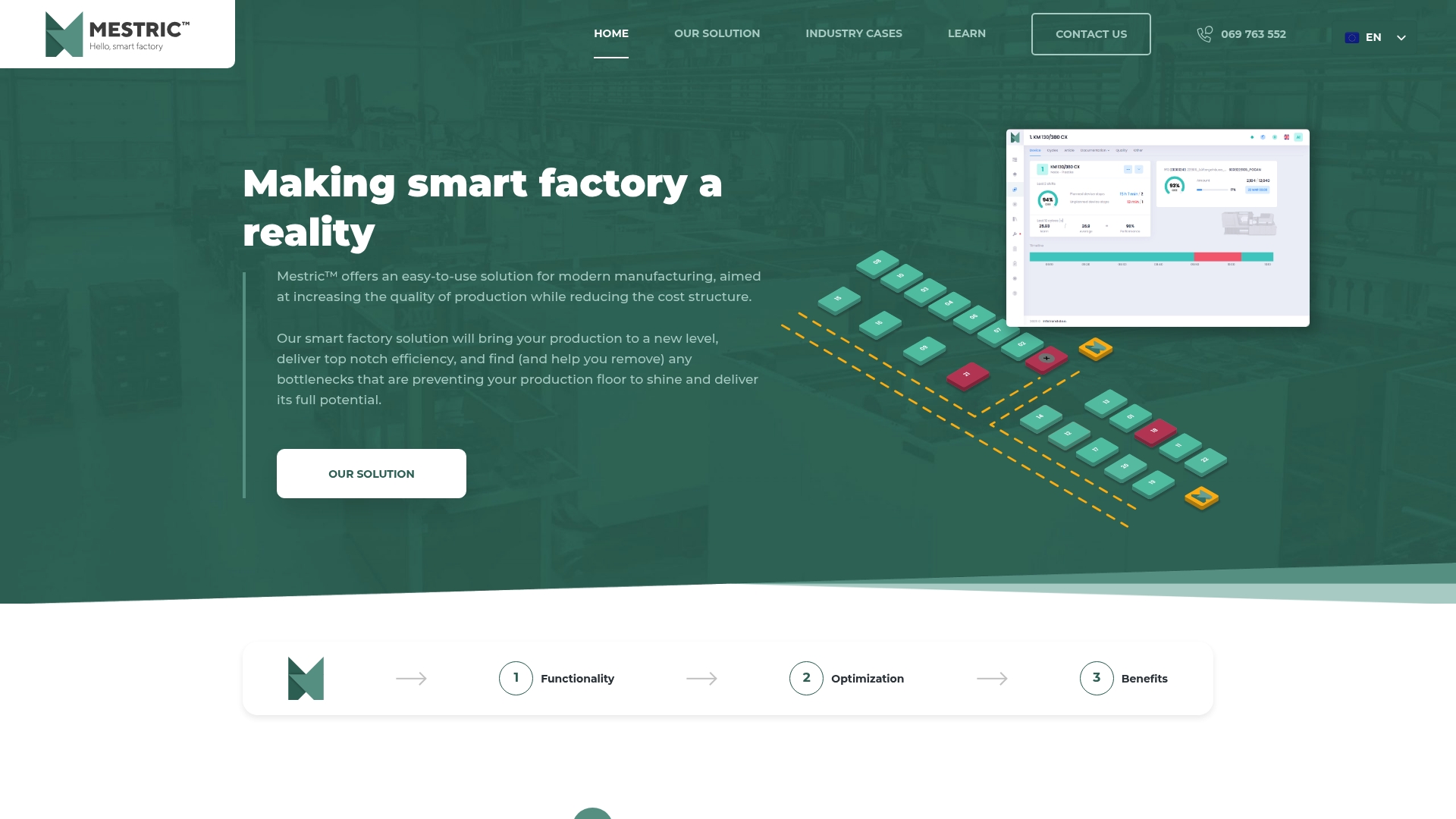
If you would like to see connected machinery running live, you can request a demonstration to explore how your own production cell could look once it is reporting in real time.
Start by building an asset inventory that records each machine’s controller type, existing protocol and any available engineering files. This inventory determines whether a machine can connect natively via OPC UA or needs a translator or driver first.
OPC UA gives you a semantic model that MQTT alone does not, which is why OPC UA PubSub over MQTT, as defined in OPC UA Part 14, is the common pairing for scalable telemetry. Legacy machines that cannot speak either natively are usually mapped through a gateway instead.
A protocol driver or a containerised translator, such as the UA Edge Translator, converts these legacy southbound protocols into OPC UA using WoT Thing Descriptions. This lets older machines join a standards-based MES integration without hardware replacement.
IEC/ISA 62443 sets out lifecycle and component-level security requirements for industrial automation and is the standard most integrators design against. Combine it with Purdue-model segmentation so MES connectors sit at a clear network boundary rather than inside the control layer.
Pricing for Mestric™ MES is available on request and depends on your production environment, so the most direct route is to request a demonstration and discuss your specific machine fleet.


 069 763 552