

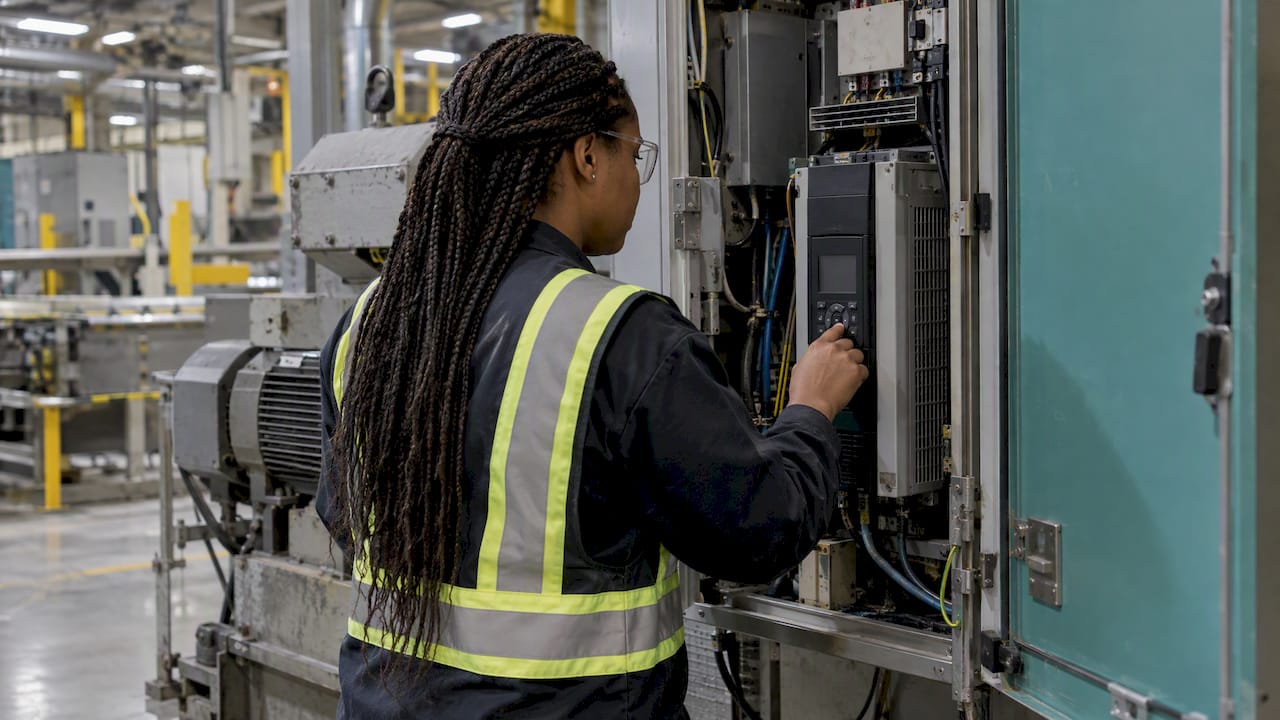
A production error code is a short identifier that a machine, drive, PLC or control system raises when a monitored condition leaves its expected state. It tells you where to start looking. It does not tell you the cause, and it does not prove that the product is defective. This guide explains how to read a code, diagnose it safely, record it so it becomes useful data, and stop the same code returning every shift.
When a drive trips, a sensor fails or a bus message is lost, the controller shows a code. That code is a label for a condition: undervoltage, overtemperature, a lost communication frame, a blocked motor. It is a message about the process or the equipment.
A production defect is something else. ISO 9000:2015 defines a defect as a nonconformity related to an intended or specified use, which in practice means the product fails a requirement that affects its fitness or function. A machine can raise an error code while every part it makes is still within specification. A machine can also produce defective parts without raising any code.
This matters for how you react:
Keeping the two terms apart also keeps your reports clean. If “error” and “defect” are used interchangeably in shift notes, you cannot later tell how much downtime came from equipment and how much scrap came from quality problems.
Most codes point to a family of causes rather than a single part. A manufacturer’s fault list for drives, such as the SEW-EURODRIVE fault list, pairs codes with meanings like feedback in error status, short circuit, undervoltage, phase failure, overtemperature, process-data error, sensor error, communication loss and motor blockage. The possible causes it lists include:
The obvious causes are often the ones missed. An industrial knowledge-base article on emergency-stop faults points to ignored safety-circuit resets, power or air supply issues and missing mechanical parts such as a broken E-stop knob. Before opening a cabinet, confirm that the safety circuit has actually been reset and that supplies are present.
One symptom can also come from several sources. An on-site diagnostics article from an electronics service company notes that an inverter error may come from power-section damage, motor overload, blocked mechanics, braking parameters or a cable problem. An unresponsive HMI may come from communication, power, PLC or I/O faults. The same source adds that an error can be a protective response to a problem elsewhere in the system, which is why swapping the component that displays the code often fixes nothing.
The table below groups typical code meanings from the sources above with the first checks that make sense. It is a starting point, not a replacement for the manual of your own equipment.
| Code meaning | Likely cause families | First check |
|---|---|---|
| Undervoltage or phase failure | Supply problem, failed phase, cable | Measure supply at the input, inspect protection devices |
| Overtemperature | Poor cooling, overload, blocked mechanics | Check fans, filters, ambient conditions, load |
| Communication loss | Bus cable, configuration, lost CAN or EtherCAT messages | Check connectors, bus status LEDs, configuration |
| Sensor or feedback error | Disconnected or defective feedback, cable | Inspect wiring and connectors, compare against a known good signal |
| Motor blockage | Stuck motor, mechanical jam | Isolate safely, then inspect the mechanics |
| Process-data error | Configuration or cable problem | Compare configuration with the last known good version |
Start with the documentation. The equipment manufacturer’s fault list is the authoritative translation of a code. Keep these lists where operators and maintenance can reach them, ideally linked from the line’s documentation rather than in a folder nobody opens.
Then add context from your own plant. Researchers at the University of Maribor’s Laboratory for Process Automation point out that fault detection is often limited by outdated equipment, lack of process knowledge and distrust caused by false alarms. All three are familiar on real shop floors:
The same laboratory notes that statistical approaches and advanced control algorithms can be used even in smaller, cheaper industrial processes. You do not need a large budget to begin looking at code patterns rather than single events.
A calm, repeatable sequence beats improvisation. Here is a routine that fits most lines.
If the symptom keeps returning after a reset, stop resetting. Escalate to maintenance or the automation engineer with the log you have recorded.
A code that is cleared and forgotten is a lost lesson. A code that is recorded with its duration and cause becomes data you can rank and act on.
A useful record has these fields:
A Slovenian example shows what this enables. A University of Ljubljana thesis describes a program at Lek d.d. that analyses event logs from a packaging line, extracts faults and their duration, ranks lines by total downtime and produces Pareto diagrams to inform preventive measures. The point is the method: the ranking, not the individual stop, decides where maintenance effort goes. We explain the technique in Pareto analysis in production.
Codification has a long history in quality work too. A paper in the Journal of Mechanical Engineering by Peter Meža, Andrej Polajnar and Srečko Glodež describes defect codification as a structured way of recording defect states and causes, which supports organised quality knowledge and corrective measures. The principle applies equally to equipment error codes: use a fixed list of causes, not free text, so the data can be counted.
Putting a price on stops helps set those limits sensibly. See how to calculate a defensible hourly downtime cost before you decide which stops justify an escalation.
There are two different actions here, and mixing them up is a common reason faults recur. ISO 9000 defines a correction as action to eliminate a detected nonconformity, and corrective action as action to eliminate its root cause and prevent recurrence, as summarised in the ISO audit guidance. Restarting the machine is a correction. Replacing a worn cable and changing the inspection routine is corrective action.

The same guidance stresses that systematic failures must be treated differently from accidental one-off events. A one-off power dip does not need a project. A code that appears every Monday after a cold weekend does.
Practical prevention measures:
If your downtime losses are broad, our guides to reducing production downtime és downtime reduction step by step give a wider programme around these actions.
We see the same pattern in plants that start measuring. The individual code rarely matters. What matters is how often it appears, how long the stop lasts and which line it hits. A single trip is an event. Fifty trips over a quarter are a priority.
The weak point is almost always capture. When codes live on a panel display and in a paper log, the information depends on someone writing it down at the right moment, in the same words every time. That is slow and error-prone. When the machine is connected and the system collects codes, timestamps and durations automatically, the team spends its time on causes instead of on paperwork.
So our advice is simple:
That is how we designed Mestric: real-time visibility from the machine, with the figures production managers need in front of them.
— Andraž
Mestric™ MES connects directly to production equipment and collects performance, downtime and quality data automatically, so error codes arrive with their duration and context instead of in a notebook. You see KPIs, downtime and quality parameters on live dashboards, and AI-powered tools help point to bottlenecks. You can also see the system working with connected machinery in an on-site demonstration. Read about Mestric™ MES and ask for a demo.
If you want the background first, our article on real-time downtime management shows how stops are captured and classified, and types of production exception alerts explains how to decide which events should reach a manager.
No. An error code is a diagnostic signal that a monitored condition has left its expected state. A defect, under ISO 9000:2015, is a nonconformity related to intended or specified use. A machine can show a code while parts remain within specification, so inspect the product before you declare a defect.
A reset can be a legitimate correction if the manual allows it and the area is safe. It does not remove the cause. If the same code returns, stop resetting and escalate with the log you have, because the code may be a protective response to a problem elsewhere.
Start with the fault list or manual from the equipment manufacturer, which pairs each code with its meaning and possible causes. Add your own notes on operating conditions and confirmed causes, so the next person has more than the manual to go on.
Rank them by total lost time, not by how often operators complain about them. A Pareto chart of stop duration by code usually shows that a few codes account for most of the loss. Start with those, and confirm the root cause before changing anything.
Record the date, shift, line, exact code, stop duration, confirmed cause, action taken and whether product was affected. Use a fixed list of causes rather than free text, so you can count and compare events later.


 069 763 552