


TL;DR:
- A well-structured quality monitoring workflow tracks, detects, and responds to production deviations to ensure product standards. Automation improves defect containment by analyzing data from 100% of outputs in real time, replacing manual sampling. Proper design prevents issues like alert fatigue, inconsistent data, and bottlenecks, making ISO 9001 compliance easier and audits simpler.
A quality monitoring workflow is a systematic process that continuously tracks, detects, and responds to production quality deviations to keep product standards consistent. In manufacturing, this is not a background activity. Inefficient quality management can account for 15–20% of total operational costs, making a well-structured workflow one of the most direct levers for reducing waste. The industry standard for formalising these processes is ISO 9001, which requires documented monitoring, calibration management, and audit-ready records. Shifting from periodic manual checks to a real-time, automated quality monitoring workflow is the single most impactful change a production team can make.
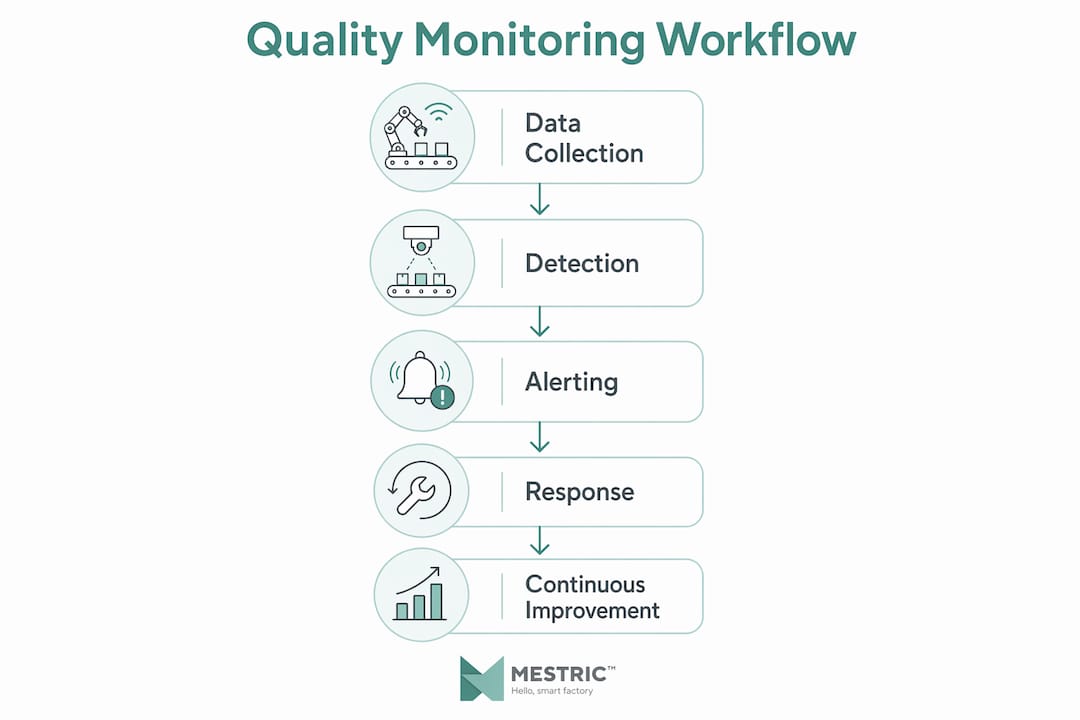
A quality monitoring workflow covers every step from data collection at the machine level through to corrective action and documentation. The formal industry term is quality management system (QMS) workflow, though “quality monitoring workflow” describes the operational layer where data is gathered, assessed, and acted upon in real time. Understanding both terms matters because ISO 9001 auditors reference QMS language, while production managers work with the monitoring layer daily.

The workflow has three core functions: detection, alerting, and response. Detection captures quality data from sensors, inspection tablets, or vision systems. Alerting routes deviations to the right person at the right time. Response closes the loop with corrective action and documented outcomes. Each function depends on the others. A gap in any one of them breaks the chain and allows defects to reach the next production stage.
Automated monitoring transforms the scale of what is possible. Manual sampling covers only 1–3% of production interactions, whereas AI-driven monitoring can analyse up to 100% in real time. That difference is not incremental. It represents a fundamentally different level of defect containment.
Building an effective workflow requires the right hardware, software, and organisational foundations before a single alert is configured.
| Component | Purpose | Compliance relevance |
|---|---|---|
| Inline sensors | Real-time parameter capture | ISO 9001 monitoring requirements |
| Inspection tablets | Operator-led digital checklists | Audit trail and sign-off records |
| QMS or MES software | Centralised data and workflow management | Document control and CAPA tracking |
| Calibration management | Instrument accuracy tracking | ISO 9001 calibration clauses |
| ERP integration | Links quality data to production and supply chain | Traceability across the value chain |
Data organisation is as important as the tools themselves. A consistent naming convention for data sources is required to map quality data back to specific production lines and support root cause analysis during audits. Set naming standards before you go live, not after.
Pro Tip: Create a data dictionary at the start of your implementation. Define every sensor ID, inspection point label, and alert code in one document. This prevents naming drift as your workflow scales.
A structured implementation sequence prevents the most common setup errors. Follow these steps in order.
Define your critical control points. Identify the production stages where a defect, if undetected, causes the greatest downstream cost or compliance risk. These become your primary monitoring locations.
Set sampling rates. Use 10–30% sampling for routine production monitoring and 100% data collection during targeted testing, validation runs, or new product introductions. Apply higher rates whenever process capability data is weak.
Configure data ingestion. Connect sensors and inspection devices to your QMS or MES. Confirm that every data point carries a timestamp, a source identifier, and a batch or job reference. This is the foundation of your audit trail.
Set quality thresholds. Define upper and lower control limits for each parameter. Base these on process capability studies, customer specifications, or regulatory requirements. Avoid setting thresholds so tight that normal process variation triggers constant alerts.
Build your alert routing. Assign each alert type to a specific role: operator, line supervisor, or quality engineer. Automated inspection alert workflows can reduce defect detection times by over 50% by connecting sensor data, inspection checklists, and escalation sequences in a unified workflow. That speed matters most when a fast-moving line can produce hundreds of non-conforming units in minutes.
Configure escalation windows. If an alert is not acknowledged within a set period, it escalates automatically to the next level. Fifteen to thirty minutes is a practical starting window for most production environments.
Automate documentation. Every alert, acknowledgement, corrective action, and sign-off should write automatically to an immutable log. Manual record-keeping at this stage introduces the errors that automated workflows are designed to eliminate.
Test the full chain. Simulate a threshold breach before go-live. Confirm that the alert fires, routes correctly, escalates on schedule, and that the record appears in your audit log without manual intervention.
Pro Tip: Run a parallel period of two to four weeks where both your old manual process and the new automated workflow operate simultaneously. This surfaces gaps in threshold settings and alert routing before you decommission the manual process.
Even well-designed workflows develop problems over time. Recognising these patterns early prevents them from becoming embedded habits.
Alert fatigue. When too many low-priority alerts fire, operators begin ignoring them. Tiered alerts with mandatory acknowledgement and escalation windows of 15–30 minutes prevent this. Separate critical alerts (stop the line) from advisory alerts (log and review) from informational notifications (trend data only).
Inconsistent data naming. When sensor IDs or inspection point labels are applied inconsistently across shifts or lines, root cause analysis becomes unreliable. A defect traced to “Line 3 Station B” in one record and “L3-SB” in another is effectively two separate data points in most reporting tools.
Workflow bottlenecks at quality gates. Quality data collection must align rhythmically with production, purchasing, and fulfilment. If an inspection step takes longer than the takt time of the line, it becomes a bottleneck. Design inspection steps to match production pace, or automate them entirely.
Approval workflow gaps. Corrective actions that require sign-off but have no escalation path sit open indefinitely. Every approval step needs a deadline and an automatic escalation if the deadline passes.
Pro Tip: Review your alert log monthly. If more than 20% of alerts are being closed without a corrective action note, your thresholds are too sensitive. Tighten them or reclassify those alerts as informational.
Digital quality checklists with structured workflows eliminate operator variation by enforcing identical steps, order, and criteria regardless of who performs the inspection. This is the most direct way to remove the human inconsistency that manual processes introduce.
A quality monitoring workflow is not a one-time implementation. It requires ongoing attention to stay effective as products, processes, and standards evolve.
Continuous improvement in this context means reviewing and updating three things regularly: detection thresholds, alert routing, and inspection criteria. Production processes drift over time. A threshold set during initial validation may no longer reflect current process capability after equipment maintenance or a material supplier change.
Aligning quality checkpoints directly into production lines creates operational rhythm and minimises bottlenecks, unlike isolated quality inspections that interrupt flow. Schedule quality reviews to coincide with shift handovers, batch completions, or planned maintenance windows rather than running them as separate activities.
Recurring schedule triggers automate inspections and calibrations, so no quality checks are missed and the process does not depend on individual memory or initiative. This is particularly important for calibration tasks, which are easy to defer under production pressure.
| Approach | Detection coverage | Audit readiness | Response speed |
|---|---|---|---|
| Manual periodic checks | Low (1–3% of output) | Dependent on paper records | Slow, reactive |
| Digital checklists only | Moderate | Good, if consistently completed | Moderate |
| Fully automated workflow | High (up to 100%) | Automatic, timestamped logs | Fast, proactive |
Compliance with ISO 9001 is significantly easier when your workflow generates automated, timestamped records at every step. Auditors do not want to see binders of paper forms. They want to query a system and see a complete, unbroken record of every inspection, calibration, alert, and corrective action. Build your workflow with that audit query in mind from day one.
Pro Tip: Set a quarterly workflow review in your production calendar. Assign a quality engineer to check threshold drift, review alert volumes, and confirm that all escalation paths still point to the correct roles after any organisational changes.
A quality monitoring workflow delivers the greatest value when automation, structured data, and aligned production rhythms work together rather than in isolation.
| Point | Details |
|---|---|
| Define control points first | Identify the highest-risk production stages before configuring any sensors or alerts. |
| Set tiered alert levels | Separate critical, advisory, and informational alerts to prevent fatigue and missed responses. |
| Automate documentation | Immutable, timestamped logs are required for ISO 9001 compliance and effective root cause analysis. |
| Align with production rhythm | Quality checkpoints must match production pace to avoid creating bottlenecks at inspection stages. |
| Review and update regularly | Thresholds, routing, and inspection criteria need quarterly review as processes and products change. |
Most of the quality monitoring failures I have seen come down to the same root cause: the workflow was designed around the tools available rather than the process requirements. A team buys a capable QMS, connects a few sensors, and assumes the system will do the rest. It does not.
The structure matters more than the technology. A well-designed paper-based checklist with clear escalation paths will outperform a poorly configured automated system every time. Automation multiplies whatever structure you put in place. If that structure is weak, automation just produces bad data faster.
The alert fatigue problem is the clearest symptom of this. When I see a production team ignoring alerts, the issue is almost never that the operators are careless. The issue is that nobody designed the alert tiers thoughtfully. Every deviation fires at the same priority level, so the signal is buried in noise. Fixing this takes an afternoon of configuration work, not a new system.
The other thing I would stress is audit readiness as a daily habit rather than a pre-audit scramble. When your workflow generates clean, automatic records at every step, an ISO 9001 audit becomes a straightforward exercise. When it does not, the weeks before an audit are spent reconstructing records manually. That is expensive and stressful, and it is entirely avoidable.
Build the workflow for the auditor’s query first. Everything else follows from that discipline.
— Andraž
Mestric connects directly with your production equipment to automate the data collection, alerting, and documentation steps that form the backbone of any quality monitoring workflow.
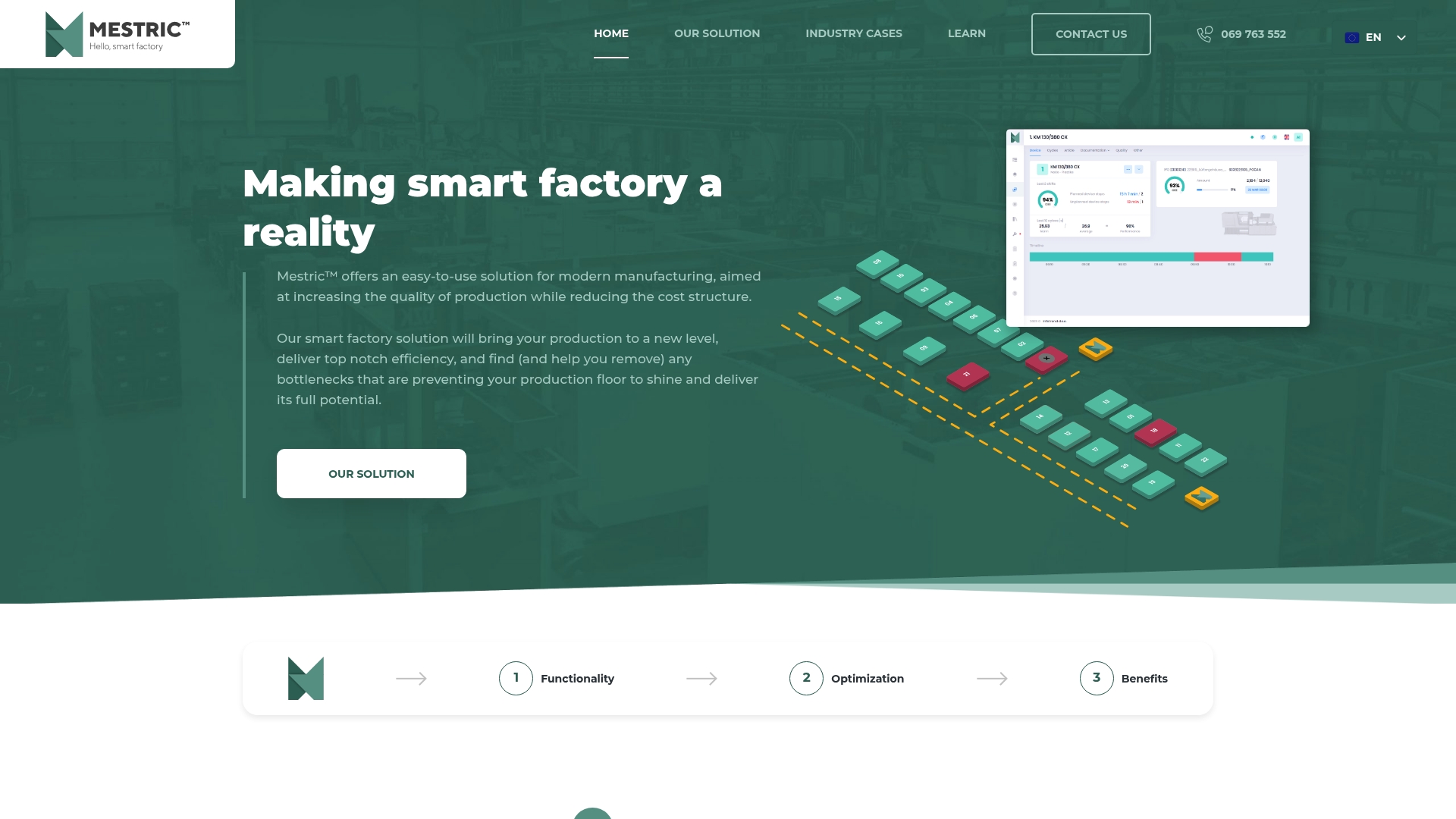
The platform captures real-time quality parameters from connected machinery and routes alerts to the right roles with built-in escalation logic. Every inspection, alert, and corrective action is logged automatically, giving you the audit-ready quality records that ISO 9001 requires without manual data entry. Mestric also provides performance dashboards that let production managers track quality KPIs alongside output, downtime, and cost data in a single view. If you are evaluating how a Manufacturing Execution System fits into your current setup, the MES vs traditional manufacturing comparison is a practical starting point.
A quality monitoring workflow is a structured process that continuously collects production quality data, triggers alerts when parameters fall outside defined limits, and routes corrective actions to the appropriate team members. It replaces periodic manual checks with real-time, automated oversight.
ISO 9001 requires documented monitoring, calibration management, and immutable audit records. Automated quality workflows generate the timestamped logs that auditors expect, making compliance significantly easier to demonstrate.
Use a 10–30% sampling rate for routine production monitoring and 100% data collection during validation runs or targeted testing phases. Higher rates apply whenever process capability data is limited or a new product is being introduced.
Configure tiered alerts that separate critical issues from advisory and informational notifications. Set mandatory acknowledgement windows of 15–30 minutes for critical alerts, with automatic escalation if the window passes without a response.
The biggest risk is that defects pass undetected through multiple production stages before anyone acts. Inconsistent data naming, missing escalation paths, and misaligned inspection timing all contribute to this. Structured workflows with automated documentation and clear alert tiers close these gaps directly.


 069 763 552