

Two paths cover almost every manufacturing use case: document capture (OCR and intelligent document processing for invoices, forms and paperwork) and machine telemetry (IIoT and PLC integration for direct shop-floor data). High document volume points you towards IDP; real-time production KPIs point you towards machine telemetry. Both eventually feed into your MES, where Mestric™ handles the integration and turns captured data into usable dashboards.
TL;DR:
- Proper input standardization and calibration are crucial, with 300 DPI scans and weekly sensor calibration to ensure data accuracy.
- Pilots should be limited to one document type or machine system over four to eight weeks, with clear success metrics established beforehand.
- Integration into MES should use explicit field mapping and reconciliation rules to prevent data corruption and ensure reliable KPI calculations.
- A staged approach starting with mapping data sources and testing in a small scope helps avoid technical and stakeholder issues during full deployment.
- Centralized capture and data consolidation into dashboards provide real operational value, addressing the common gap between digitization and actionable insights.
Samodejen zajem podatkov, or automated data capture, covers several distinct techniques and each solves a different problem. OCR (optical character recognition) reads printed text from scans. ICR (intelligent character recognition) handles handwriting. IDP (intelligent document processing) layers machine learning on top of both, so it copes with messy layouts and inconsistent invoice templates. Barcode and QR scanning capture identifiers instantly and accurately, ideal for parts tracking. RFID goes further, reading tagged assets without line of sight, which matters on a busy shop floor. Machine telemetry is different again: it pulls live data directly from PLCs, sensors and controllers rather than from a document at all.
Accuracy, throughput and the structure of your source data should drive the choice:
Automated data capture reduces manual entry errors regardless of which method you deploy, but the wrong method for your data type wastes budget on features you don’t need.
Plain OCR reads characters from a fixed template. IDP goes further: it classifies the document type first, extracts fields using trained models, then validates results against business rules. You need IDP, not basic OCR, the moment your documents vary in layout, language or quality. Platforms such as OpenText Capture rely on continuous machine learning to raise straight-through processing rates on exactly this kind of variable paperwork, while tools like ABBYY FlexiCapture combine AI and NLP with neural classification to handle structured, semi-structured and unstructured documents in the same pipeline.
Before any of that software helps, your inputs need to meet a basic standard:
Profi tipp: Set a confidence threshold that automatically routes low-confidence extractions to a human verification station rather than letting the system guess. It costs a few seconds per document and saves hours of downstream correction.
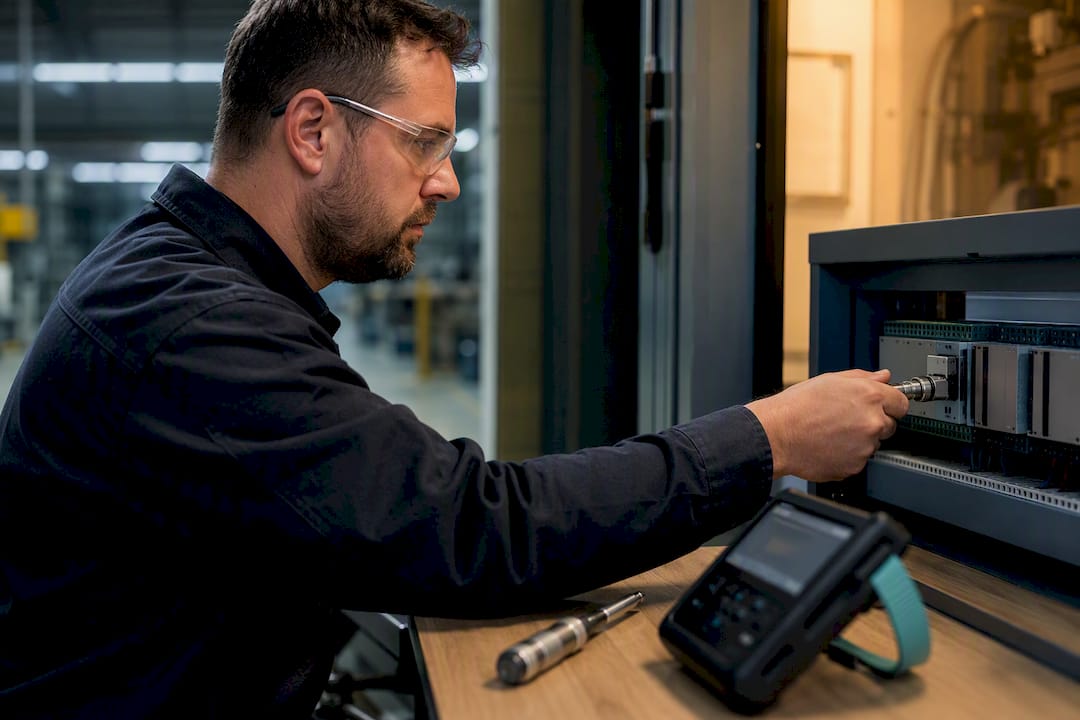
PLCs, controllers and sensors already generate the data you need. cycle times, runtime, alarm states, tool life. The challenge is rarely the machine; it’s getting that data out reliably and into a format your systems can use.
Expect to work with a mix of protocols depending on the machine’s age and vendor: OPC-UA and MQTT for modern equipment, Modbus for older PLCs, and REST APIs where a controller exposes a web interface. Edge gateways sit between the machine and your network, buffering data during network drops and adding timestamps so events line up correctly once they reach your MES.
A few things matter more than they first appear:
Calibration drift is a genuinely underrated failure point. A guide to machine tool alignment is worth reading if your fleet includes equipment that hasn’t been checked for positional accuracy recently, since misalignment feeds bad data into otherwise well-built telemetry pipelines.
Getting data captured is only half the job. It has to land somewhere useful, mapped correctly, and validated before anyone trusts it for decisions.
Four integration patterns cover most factories: a direct API post from the capture tool into your MES, a middleware layer that translates between systems, an OPC-UA broker for streaming machine data, or scheduled CSV/XML batch imports for lower-frequency document data. Which one you pick depends on how real-time you need the result and how many source systems you’re consolidating.
Automated capture reduces processing time and errors, but integration and security are exactly where that benefit gets lost if nobody owns the mapping logic. Mestric’s IT integration checklist for MES systems walks through this in more technical detail if you’re planning the connection yourself.
Profi tipp: Run new data feeds in parallel with your existing manual process for two to four weeks before switching off the manual step. Discrepancies surface fast, and you’ll still have a fallback while you fix them.
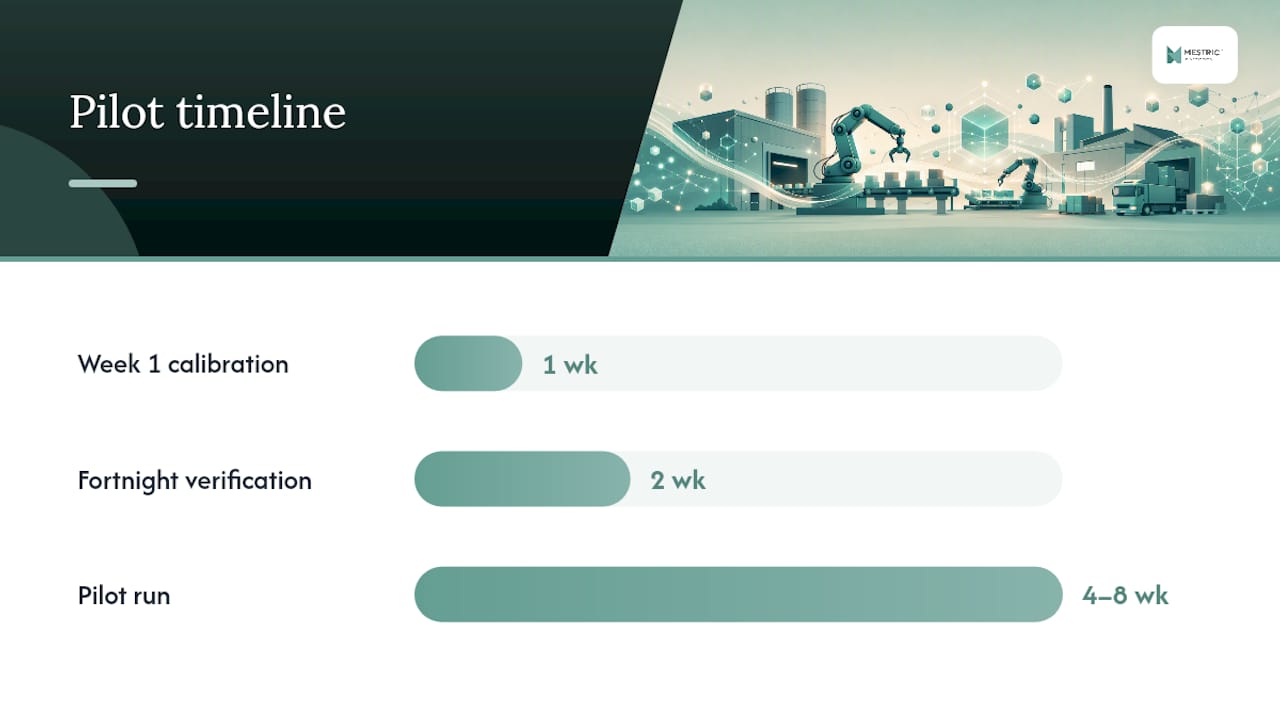
Rolling out automated capture works best as a staged pilot, not a factory-wide switch. A recommended sequence:
Implementation failures usually trace back to poor source quality rather than the software itself, according to practitioner guidance on input-quality protocols for automated capture systems. A clean 300 DPI scanning standard and a calibration schedule fixed in week one will save far more rework than any software feature will.
The most common pitfall isn’t technical at all: underestimating how much verification effort a pilot needs in its first fortnight, and losing stakeholder buy-in when early results look messier than promised.
The honest gap in most automated capture projects isn’t the capture technology. It’s what happens after the data lands. Plenty of factories successfully digitise invoices or stream machine telemetry, then still can’t answer a simple question like “which shift had the most unplanned downtime last week” because the data sits in three disconnected systems.
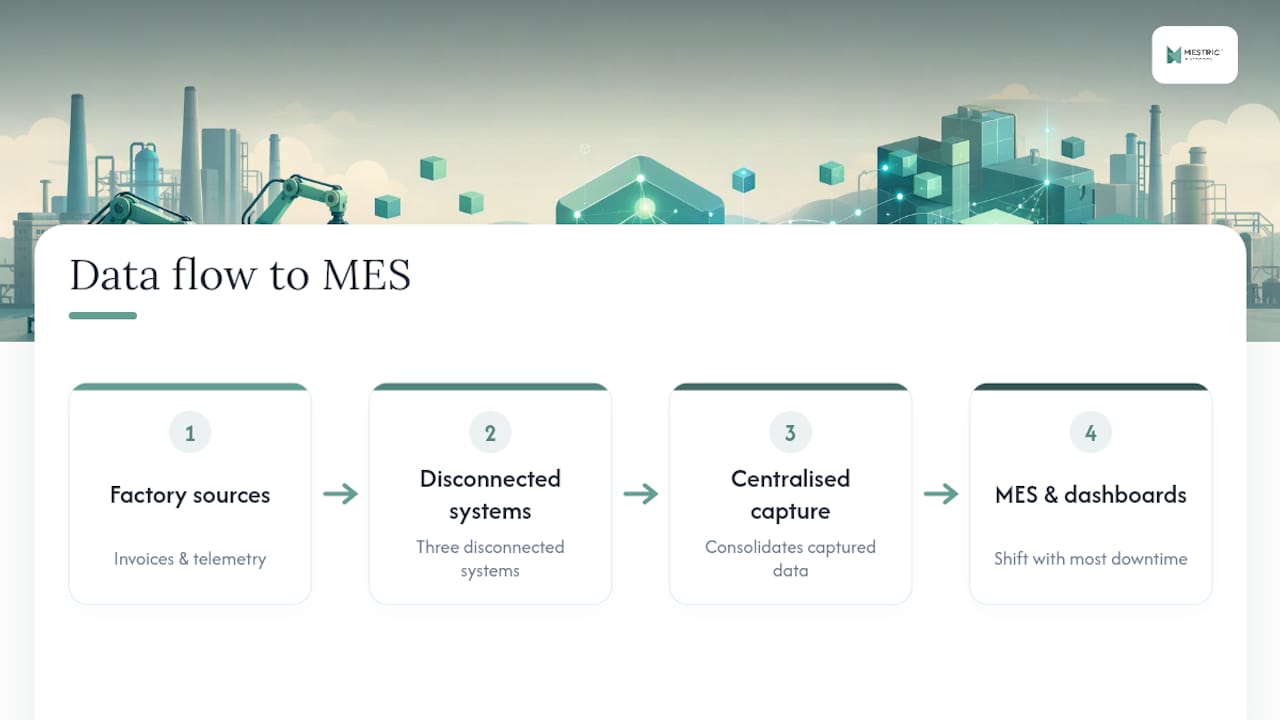
Centralised capture only pays off when it feeds one place. Fewer invoice exceptions matter less on their own than they do combined with clearer OEE visibility on the production side, because that combination is what actually changes a decision. A shop floor visibility guide is worth reading if you want to see what that combined view looks like in practice.
Mestric™ was built around this exact gap: connecting captured machine and document data directly into KPI dashboards that production managers actually use, rather than leaving raw data stranded in a capture tool. That’s a deliberate design choice, not an accident, because capture without consolidation just moves the manual-entry problem one step downstream.
— Andraž
If you’re running a mixed fleet of older PLCs and newer machines, or drowning in supplier invoices that need manual checking every week, a pilot is the sensible next step rather than a full rollout. Pilot projects typically start with one production line or one document type, map your existing data sources, and connect them directly into a live KPI dashboard so you can see the difference within weeks.
An onsite demo shows exactly how your machines and documents would connect. Real cycle times, downtime causes and quality parameters appear on screen rather than in a spreadsheet built after the fact. There’s no need to overhaul your systems first; the MES platform is built to integrate with existing equipment and systems on the shop floor. If you want to see how MES compares to traditional manufacturing tracking for your specific setup, book a demonstration and bring your current pain points, exceptions, blind spots, or machines nobody’s connected yet.


 069 763 552