

AI process parameter recommendations are suggestions from a trained model about which machine settings to change, and by how much, to keep quality, energy use or scrap on target. The model does not run the line. It reads your process data, compares it with past batches and tells the operator or process engineer what to adjust. This guide explains how that works, which data you need, how to test the recommendations before they reach the shop floor, and which Slovenian and EU rules to keep in view.
Every process has settings: temperatures, pressures, speeds, dwell times, feed rates, recipe nominals. Operators set them from experience, work instructions and the odd trial. Parameter optimisation, as academic work on the subject describes it, means finding the best values within defined limits to improve product quality.
An AI recommendation adds a learning layer. The model has seen thousands of past runs, with their settings, conditions and results. When a new run starts to drift, it suggests a change that, in comparable past situations, led to a better result.
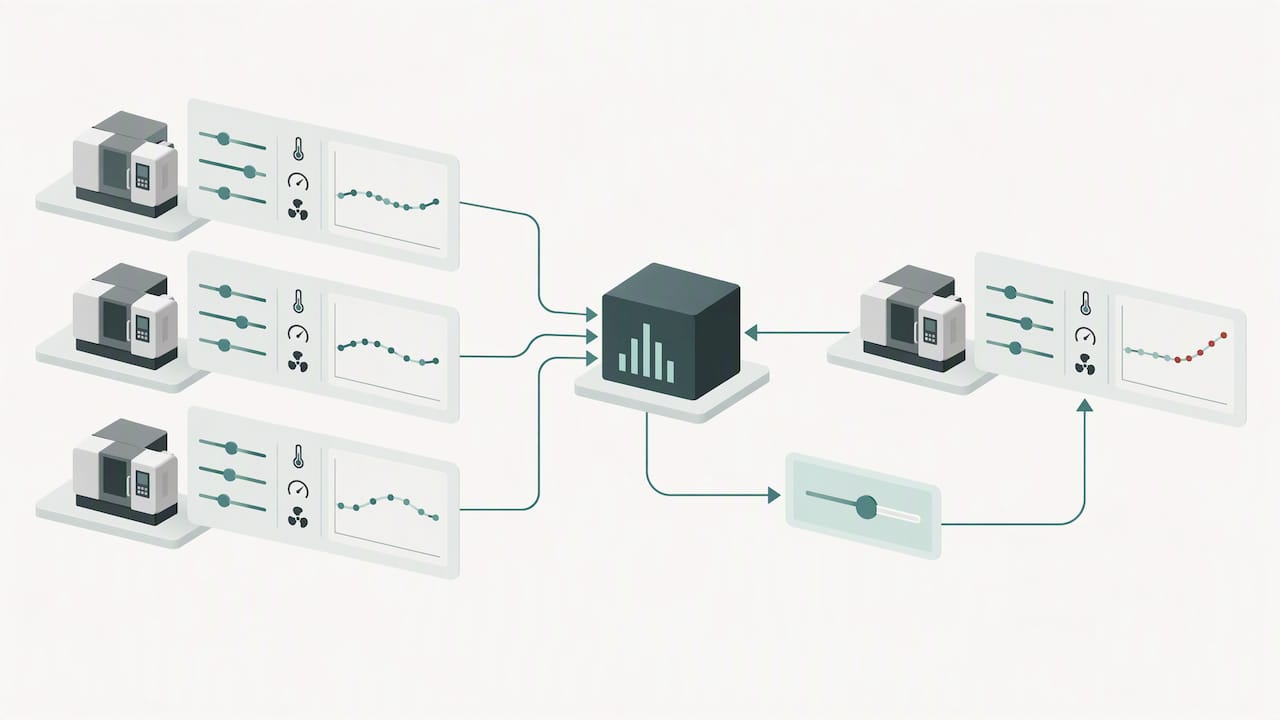
That is different from a fixed alarm limit. A limit tells you something has crossed a line. A recommendation tells you which setting to move, in which direction and why.
The most common mistake is to collect everything and hope. Work in this order.
| Data group | Examples | Why it matters |
|---|---|---|
| Identity | Order, lot, batch, product, machine | Links every reading to a result |
| Process settings | Recipe nominals, ranges, setpoints | The values the AI will recommend changing |
| Actual trajectories | Sensor curves per phase | Shows what really happened, not what was set |
| Context | Tool wear, material properties, ambient conditions | Explains variation between runs |
| Quality outcome | Scrap, first-pass yield, inspection results | The target the model learns from |
| Intervention log | Action taken, approver, post-action reading | Lets you measure whether advice worked |
A published list of what to select for parameter optimisation follows the same pattern: recipe nominals and ranges, machine tags, lot genealogy, quality outcomes and context. For recommendation use cases, one industrial-data guide adds that you should keep the human review decision, the action taken, the post-action reading and the version of the model that made the suggestion.
Context is easy to underrate. Surface finishing shows why: preparation steps, batch records and coating quality documentation all sit beside the process settings, and an AI model needs that same surrounding record to tell a settings problem from a material or environment problem.
Slovenia’s SRIP Factories of the Future makes a point worth repeating. In its commentary on AI in production, domain experts have to identify which variables are genuinely relevant, separate defects that block a sale from harmless marks, and agree on the correct training data. Volume alone does not do this.
In practice, put a process engineer, a quality technician and an operator in one room before any modelling. Ask them which five settings they would change first when quality slips. Start there.
Raw machine data is rarely ready for a model. Typical work includes:
This is where a manufacturing execution system earns its place. When machines connect directly and data is captured automatically, the batch identity, downtime reasons and quality readings are already tied together. Our article on the role of data in manufacturing covers the types of data and how to collect them, and the piece on real-time data integration with MES platforms shows how the connection works.
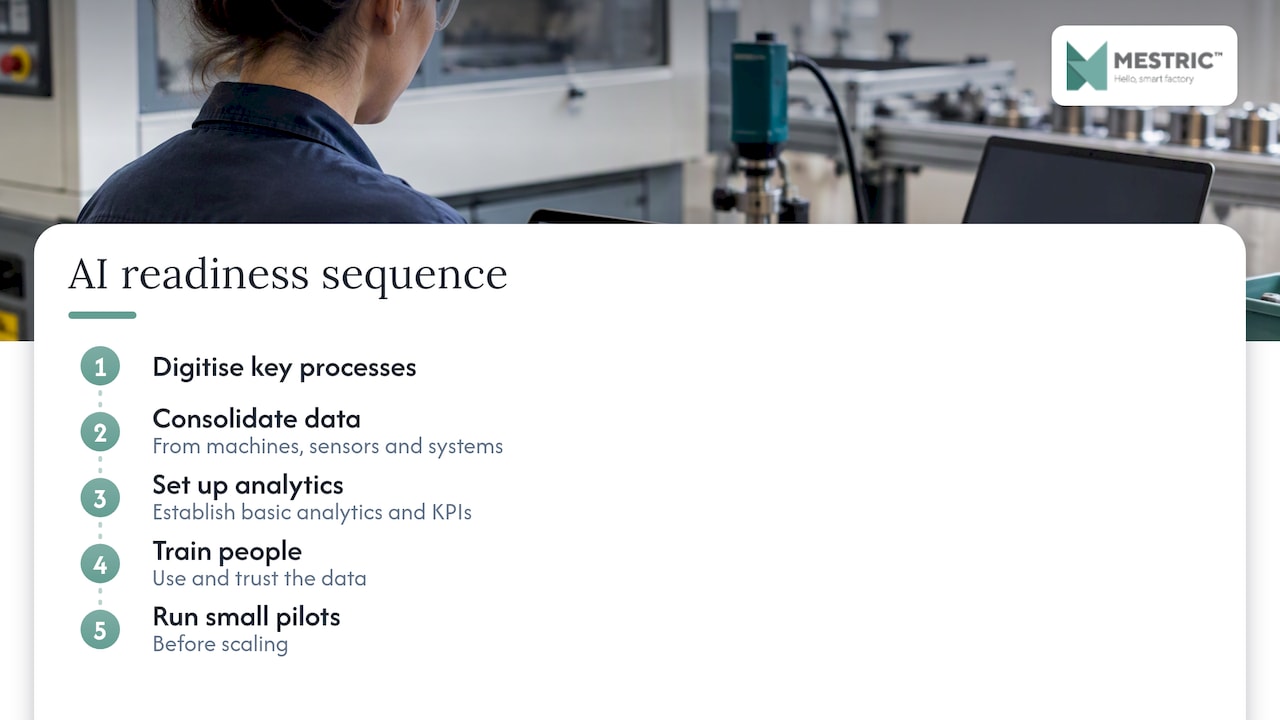
Rok Prešeren, speaking about when a company is ready for AI in production, points to a sequence: digitise key processes, consolidate data from machines, sensors and systems, set up basic analytics and KPIs, train people to use and trust the data, and run small pilots before scaling. If your downtime reasons are still written on paper, fix that first. The model cannot recommend what it cannot see.
No single page we found sets out one standard method here, so this section reflects common engineering practice rather than a cited rulebook. Adapt it to your quality system and customer requirements.
Explainability makes steps 1 to 3 faster. Techniques such as LIME or counterfactual generation show operators how to change input features to reach a desired quality outcome, so they can judge whether a suggestion makes physical sense. The same research stresses that human verification remains essential.
| Measure | What it tells you |
|---|---|
| Scrap and rework rate | Whether quality actually improved |
| First-pass yield | Whether fewer parts need correction |
| Energy per batch or unit | Whether settings are more efficient |
| Start-up time and start-up scrap | Whether stabilisation is faster |
| Recommendation acceptance rate | Whether operators trust the advice |
| Overrides and their outcomes | Where the model is wrong |
Also watch for limitations. A model only knows the conditions it has seen. A new raw material supplier, a worn tool or an unusual season can push it outside its experience. Treat a sudden fall in acceptance rate as a signal to investigate, not a training problem for operators.
Process safety and product quality come before optimisation. A few rules keep this simple:
To connect advice with live results, you need a view of KPIs, downtime and quality in one place. Our guides on real-time performance tracking and quality monitoring workflow describe how to set that up.
Most parameter recommendation systems are decision support for engineers, not consumer-facing AI. Even so, three recent developments are worth tracking, and your legal or compliance adviser should confirm how they apply to your system.
If your AI sits inside a machine or a regulated product, ask your supplier which category it falls into. If it only advises your own staff on settings, keep documentation anyway: data sources, model versions, test results and approvals. You will need them for quality audits, whatever the AI rules say.
A narrow pilot is better than a plant-wide rollout, which matches the staged approach Prešeren describes above.
The timings are a planning example, not a benchmark. Your data situation sets the real pace. For a wider view, read our step-by-step production optimisation guide and the article on optimising production workflow with AI.
We see the same pattern in factories again and again. The model is rarely the hard part. The hard part is that the data is split between machines, spreadsheets and people’s memories, and nobody can say which batch produced which result.
So we start with the foundation. Connect the equipment, capture data automatically, tie it to orders and batches, and watch the KPIs for a while. Only then does an AI recommendation have something solid to learn from. Operators trust advice that matches what they see on their own line, and they stop trusting it quickly when it does not.
We also believe the recommendation should be easy to read. A plant manager or supervisor should see the suggested change, the reason and the live result in one screen, without an analyst in between. That is how we built Mestric: simple to use, connected to the machine, and focused on the production manager’s decisions.
— Andraž
Mestric™ is a Manufacturing Execution System that connects directly to your equipment and collects performance, downtime, quality and cost data in real time. It adds AI-powered optimisation to help you find bottlenecks, reduce manual errors and improve process norms. You can see it running in a real production environment through an on-site presentation. Learn more about Mestric™ MES, or see how it compares with traditional manufacturing approaches.
Not necessarily for a first pilot. You do need someone who knows the process and can define what a defect is, plus reliable machine data. Experts on your own floor decide which variables matter, which is more important than modelling skill at this stage.
There is no universal number. Quality and relevance count more than volume, as the Slovenian SRIP Factories of the Future stresses. The SIJ Acroni study used more than 2,000 furnace batches, but a simpler case may need fewer, and a complex one more.
Technically it can, but we recommend starting with advice that an operator approves. Human verification is considered essential in the research on explainable recommendations. Move towards automation only after shadow mode and a controlled trial show stable results.
It depends on what the system does and whether it is built into a regulated product. Some obligations already apply in Slovenia, and others for products covered by existing EU legislation apply from 2 August 2028. Ask your legal adviser to classify your specific use case.


 069 763 552